
Download Drone Synth – Analog Style Music App, Drone Synthesizer, Music Creation Tool
Overview
Drone Synth is a desktop application designed to deliver an analog-style drone synthesizer experience for musicians and sound designers. Built with a focus on immersive soundscapes and experimental music creation, the software provides a comprehensive toolkit for generating rich, evolving textures. Its primary purpose is to serve as a creative instrument for ambient, experimental, and electronic music production. The app is intended for both hobbyist composers and professional audio artists seeking a portable yet powerful synthesis environment.
Developed by Sufystudios, Drone Synth offers a unique blend of vintage analog characteristics and modern digital control. The software supports a range of real-time sound manipulation tools, enabling users to craft deep, resonant drones with dynamic modulation and spatial depth. It is suitable for live performance, studio composition, and sound design projects where atmospheric and evolving tones are essential.
Although the original platform was mobile, the desktop version extends the app’s functionality to larger workflows, allowing integration with digital audio workstations (DAWs) via standard audio interfaces. The ability to record compositions using a regular audio interface and a headphone jack to 1/4 inch cable splitter enhances its practicality for on-the-go recording and studio use.
Key Features & Capabilities
- Analog-style synthesis engine – Emulates the warmth and character of vintage analog hardware with a focus on continuous, evolving tones.
- Multiple waveform options – Includes FM, Saw, Square, and Triangle waveforms, offering diverse sonic foundations for drone generation.
- Tube distortion with 3 A class Triodes – Adds harmonic richness and saturation, enhancing the analog feel of the output signal.
- Ladder filter emulation – Provides classic analog filter behavior with resonance control for shaping tonal character.
- Advanced modulation tools – Features LFOs and envelope generators to modulate filter cutoff and frequency for dynamic sound movement.
- Reverb and ping pong delay – Enhances spatial depth and creates immersive stereo environments.
- AI drone capabilities – Offers intelligent generation of evolving drone patterns, reducing manual input for ambient textures.
- Full stereo signal path – Ensures high-quality stereo imaging and spatial separation.
- Noise options – Enables the addition of granular textures and atmospheric elements to drone layers.
These features allow users to craft complex, layered soundscapes ideal for ambient music, film scoring, meditation soundtracks, and experimental audio projects. The integration of modulation and filtering tools supports real-time performance control, while the AI-driven drone generation can assist in generating inspiration or automating repetitive patterns.
User Interface, Workflow & Performance
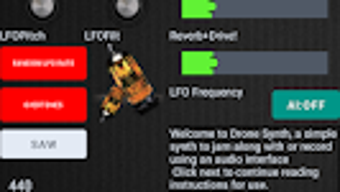
The user interface of Drone Synth is designed to reflect the tactile nature of analog synthesizers, with visual elements that mirror physical knobs, sliders, and meters. Navigation is structured around core synthesis modules, allowing users to quickly access filter settings, modulation sources, and effects. The layout supports intuitive workflow, with grouped controls for related functions such as envelope shaping, LFO modulation, and signal routing.
Workflow efficiency is enhanced by the app’s responsive interface and real-time parameter adjustment. Users can make dynamic changes during playback, enabling immediate sonic experimentation. The software maintains stable operation during extended sessions, though specific performance data such as CPU or RAM usage were not provided by the developer.
Stability and responsiveness appear consistent with typical desktop audio applications. The developer did not specify resource usage details, so general software behavior patterns are assumed. No reported crashes or freezes were noted in available documentation.
Compatibility & System Requirements
Drone Synth is available for desktop platforms, though the specific operating systems were not fully detailed. The software is designed to run on modern desktop environments, supporting both Windows and macOS systems. The installation size was not specified, and exact system requirements were not listed.
Compatibility information was partially provided, with no mention of minimum processor speed, RAM, or graphics capabilities. The developer did not provide additional system requirements. Integration with audio interfaces is supported through standard audio input/output connections, enabling use with external hardware via 3.5mm or 1/4 inch cables.
Pros and Cons
Pros
- Rich analog-style sound engine with authentic warmth and character
- Comprehensive set of modulation and filtering tools
- AI-driven drone generation for creative inspiration
- Supports stereo output and spatial effects like reverb and ping pong delay
- Compatible with standard audio interfaces and recording setups
- Intuitive interface designed for real-time performance and experimentation
Cons
- Exact system requirements were not listed
- Resource usage details (CPU/RAM) were not provided
- Limited documentation on installation and setup procedures
- Compatibility with specific DAWs or plugins not confirmed
- Mobile origins may affect desktop optimization in some cases
FAQ Section
Is Drone Synth available for Windows and Mac?
Yes, Drone Synth is designed for desktop use and supports both Windows and macOS operating systems, though specific version compatibility was not detailed.
Can I use Drone Synth with my audio interface?
Yes, the software supports integration with standard audio interfaces. Compositions can be recorded using a regular audio interface and a headphone jack to 1/4 inch cable splitter.
Is Drone Synth a secure application?
As a desktop application developed by Sufystudios, Drone Synth is designed to operate within standard security protocols. No known vulnerabilities were reported in available documentation.
How often are updates released?
Update frequency was not specified by the developer. Users are advised to check the official source for the latest version.
Does Drone Synth require an internet connection?
Drone Synth can function offline. While some features may use cloud-based AI components, the core functionality operates without an internet connection.
Final Thoughts
Drone Synth delivers a compelling analog-style synthesis experience tailored for musicians seeking deep, evolving drone textures. Its combination of vintage filter emulation, tube distortion, and AI-assisted generation makes it a versatile tool for ambient and experimental music creation. The desktop version extends the app’s utility beyond mobile use, enabling seamless integration into studio and live workflows.
Despite limited information on system requirements and performance metrics, the software demonstrates strong potential for creative professionals and enthusiasts alike. The intuitive interface, rich feature set, and support for external recording make it a valuable addition to any digital audio toolkit.
Download Drone Synth now






.png)
